Convert PNG to PDF Online
Turn PNG screenshots, logos and transparent graphics into one ordered PDF, keeping the alpha channel or flattening it to white. Free, and handled on your device.
Drop PNG files to convert
PNG files only, up to 40 per PDF. Drag rows to reorder.
Why does PNG need its own PDF converter?
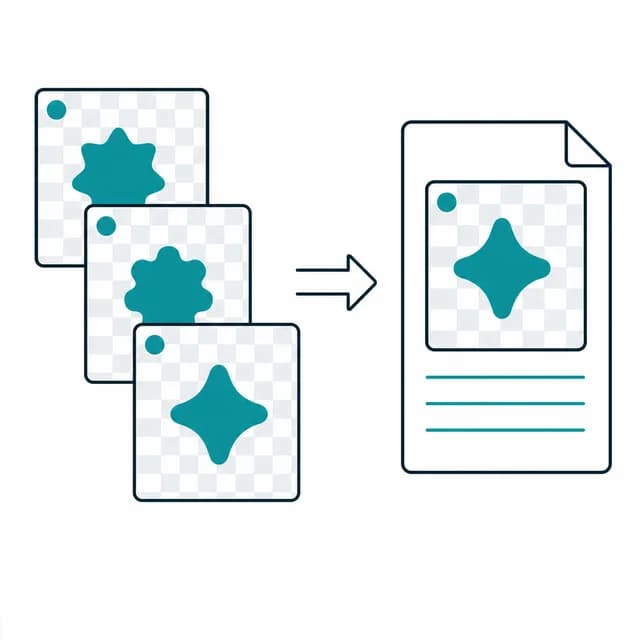
PNG is the lossless format behind screenshots, interface exports and logos, and it is the only one in this family where the alpha channel is the main point. That is why this page has a switch the JPG page lacks. Leave it off and each PNG goes into the PDF as a PNG, alpha included. Turn on 'Fill transparent background with white' and a white rectangle is painted behind the image on every page, so the see-through areas come out white.
The PNG file is passed straight to pdf-lib, with no canvas redraw in between. In 'Original size' mode a page has as many PDF points as the image has pixels, which means a 2880 by 1800 pixel retina screenshot becomes a 40 by 25 inch page. A4 and Letter shrink big images to fit and leave small ones at their native size, so a 64 pixel icon lands as a roughly 0.9 inch square in the middle of the sheet.
Screenshots tend to carry account names, dashboards and internal URLs, so it is worth knowing that the combining step never leaves this tab.
How to convert PNG to PDF
- Step 1
Add the PNG files
Drop .png files into the upload area or pick them with Browse files. JPG and other types are turned away on this page.
- Step 2
Sequence the screenshots
Move rows with drag and drop or the arrow buttons until the top-to-bottom order is the page order you need.
- Step 3
Decide on size and transparency
Choose Original size, A4 or Letter (with a margin for the last two), then switch the white fill on if transparent areas should not stay transparent.
- Step 4
Generate the file
Press Convert to PDF and, once you hear the ding, download images.pdf.
When is a PNG to PDF conversion the right move?
A bug report with step-by-step screenshots
Put each UI state on its own page so a teammate can follow the sequence without opening a folder.
Logo variants for a client
Send a set of transparent-background logo exports as one document, with the white fill on if the client prints them.
Weekly dashboard captures
Stack one screenshot per day into a single file for a status update.
Icon or mockup review
Give a reviewer one scrollable file of icon sheets and design exports instead of a zip of images.
PNG to PDF limits and edge cases
- Up to 40 PNG files per PDF. Extra files are dropped with a notice that only the first 40 were kept.
- Only PNG is accepted on this page. To mix PNG with JPG in one document, use JPG to PDF, which takes both.
- The white fill is all-or-nothing and white-only. It applies to every page in the run, and no other background colour is offered.
- With the fill off, the alpha channel is carried into the PDF. What appears behind a transparent area is then decided by the viewer you open the PDF in.
- 'Original size' maps one pixel to one point, so large screenshots make large pages: a 2880 by 1800 pixel capture is 40 by 25 inches. A4 and Letter scale such images down and never scale small ones up.
Frequently asked questions
What happens to a PNG's transparent areas?
By default the alpha channel stays in the PDF. If you switch on 'Fill transparent background with white', a white rectangle is drawn behind each image on its page, so the transparent areas appear white in any viewer.
Should I fill the background with white?
Fill it if the PDF will be printed or opened somewhere you cannot check. Leave it off when the PNG is a logo that should show whatever it is placed against.
Why is my screenshot PDF page so big?
In Original size mode one image pixel becomes one PDF point, and a point is 1/72 inch. A 2880 by 1800 pixel capture therefore makes a 40 by 25 inch page. Choose A4 or Letter to get a normal printable sheet.
Can I add a JPG next to my PNGs?
Not on this page; it accepts PNG only and rejects other types. JPG to PDF accepts both JPG and PNG in one queue.
Does a small icon get enlarged on A4?
No. A4 and Letter pages shrink images that are too big and leave smaller ones at their own size, centred, so a small icon stays small.