Convert Text to PDF Online
Turn pasted or uploaded plain text into a properly formatted PDF — free and processed entirely on your device.
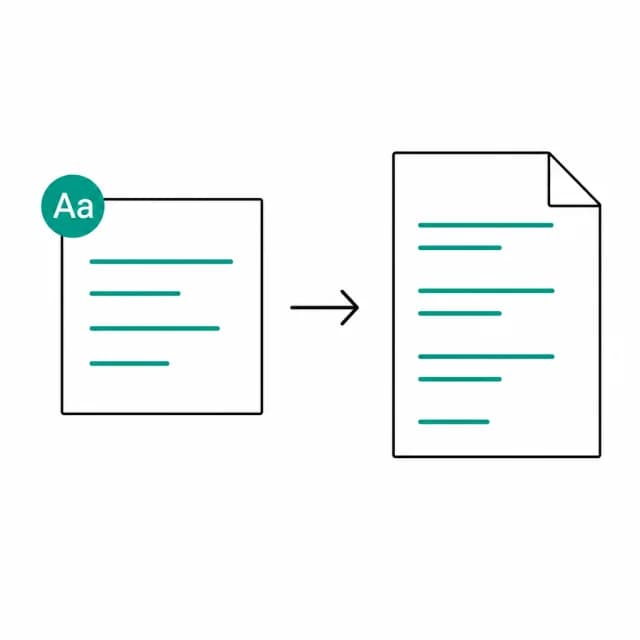
Drop a .txt file, or paste text below
Uploading a file fills the text box below — you can still edit it before converting.
How does plain text become a PDF?
PDFBell's txt to pdf tool takes plain text — pasted straight into the box below or uploaded as a .txt file — and lays it out into a real, paginated PDF you can open, print, or share anywhere a plain text file wouldn't be taken seriously. It's the tool for the moment a quick note, a log export, or a block of copied text needs to become a proper document instead of a loose .txt attachment.
Text wraps automatically at the page width, and a new page starts the moment the current one fills up, so a long file becomes a cleanly paginated PDF without any manual page-break work. Existing line breaks and blank lines are preserved; runs of spaces and tabs inside a line are collapsed to a single space.
Three settings shape the finished page: font (Helvetica, Times, or Courier), font size from 10pt up to 18pt, and margin width from narrow to wide. There's no hidden template or styling beyond these — what you choose is exactly what prints, which matters for anyone converting log files or code snippets where a fixed-width Courier layout reads far better than a proportional font.
The PDF is generated in this browser tab with pdf-lib, and the text you paste or upload is never sent to a server. Inputs over 10 MB are handed to a background worker so the page stays responsive. There is no watermark on the finished PDF.
How to convert text to PDF
- Step 1
Paste or upload your text
Type or paste text directly into the box, or drop a .txt file onto the upload area to fill it automatically.
- Step 2
Pick a font, size, and margin
Choose Helvetica, Times, or Courier, a font size from 10pt to 18pt, and a margin width.
- Step 3
Convert to PDF
Click Convert to PDF. Your text is wrapped and paginated automatically — no manual page breaks needed.
- Step 4
Download the finished PDF
When the ding! plays, download the PDF, or click Start over to convert another block of text.
What is a text-to-PDF conversion good for?
Turn a plain text note into a shareable PDF
Convert a quick note or draft into a PDF that looks like a real document.
Archive a log file or export
Lay out a .txt log export as a paginated PDF for easier reading or archiving.
Format code or fixed-width text
Use the Courier font to keep code snippets and aligned text readable in the output.
Prepare plain text for printing
Convert pasted text into a properly margined, paginated PDF that's ready to print.
TXT to PDF limits and edge cases
- The built-in PDF fonts only cover Western European (WinAnsi) characters. Accented letters such as é or ü work, but text with characters outside that set, for example Chinese, Japanese, emoji, arrows, or letters like ł and č, can't be laid out and the conversion fails with a generic error.
- Runs of spaces and tabs inside a line collapse to one space, so indentation and column alignment are not preserved, even in Courier. Line breaks and blank lines are kept.
- Every document uses a fixed A4 page. You choose the font (Helvetica, Times or Courier), the size (10, 12, 14 or 18 pt) and the margin (narrow, normal or wide), and nothing else.
- Plain text only: there is no bold, italic, heading style or image support. For formatted documents start from Word to PDF.
- A single word longer than a line, such as a long URL, is broken at the page edge instead of running off the page.
- Upload accepts .txt files only. The file's contents load into the text box, where you can still edit them before converting.
Frequently asked questions
Can I upload a .txt file instead of pasting text?
Yes. Uploading a .txt file loads its contents into the text box, where you can still edit it before converting.
Does the PDF keep my line breaks and blank lines?
Yes for line breaks and blank lines: only long lines are wrapped to fit the page width. Runs of spaces and tabs within a line are collapsed to a single space, so indentation is not kept.
Why did my conversion fail?
The most likely cause is a character the built-in PDF fonts can't draw, such as Chinese or Japanese text, emoji, arrows, or letters like ł and č. Accented Western European letters are fine. Remove or replace the unsupported characters and try again.
Which font should I choose?
Courier is monospaced, which suits logs and code snippets; Helvetica (sans-serif) and Times (serif) suit ordinary prose. All three are standard PDF fonts, so no font file is embedded in your document.
What page size does it use?
A4 for every document. There is no page size option; the margin setting (narrow, normal or wide) controls how much text fits on each page.